In November, the rollout of the new version 3.14 began for all customers. This release is strongly driven by user feedback: numerous fine-grained improvements and practical enhancements have been implemented, making version 3.14 a true customer-requested release.
A key highlight is the set of enhancements to the cabinet view. Starting with version 3.14, cabinets from multiple rooms can be displayed and edited together within a single view. This functionality was one of the most frequently requested enhancements and has now been fully implemented.
New flexibility in the cabinet view
With the new multi-rack view, interconnected IT infrastructures can be documented more accurately, network paths can be traced directly, and changes can be implemented more efficiently.
The new view enables simultaneous work on any number of racks. Each opened rack is displayed in its own pane and can be edited independently. Changes are applied immediately and are visible within the overall context.
Fast traceability of cable paths
A key advantage of the new view is the ability to display network paths across the opened racks or components. Cable connections are visualized end-to-end, regardless of which rack they originate from or terminate in.
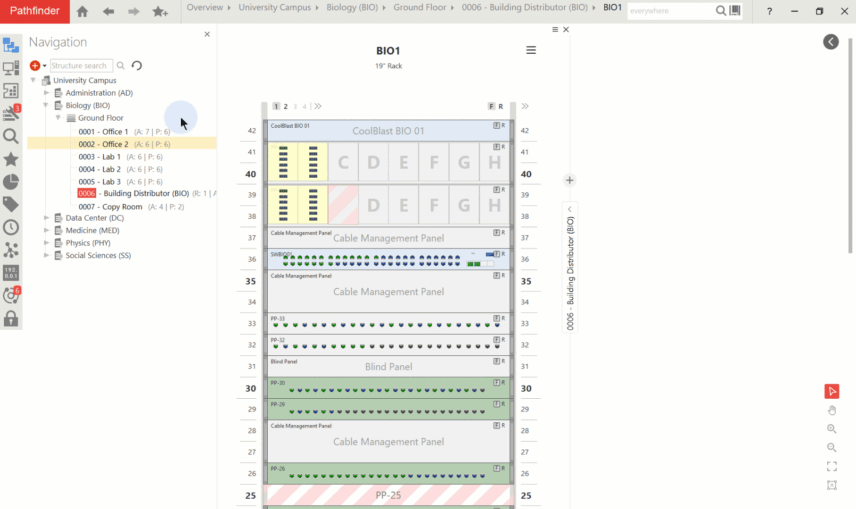
Cable paths visible across rooms help identify relationships and plan changes more precisely. Parallel work in the extended cabinet view saves time, reduces potential sources of error, and improves clarity in complex environments.
Parallel work without context switching
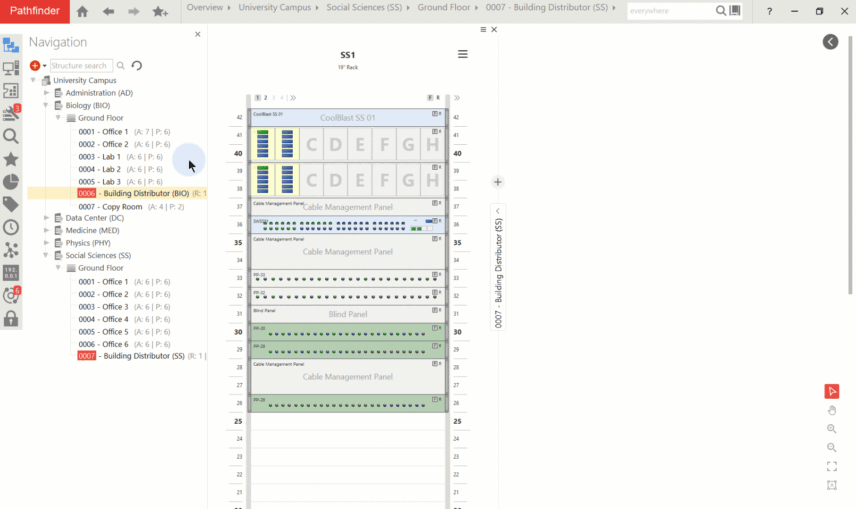
By displaying multiple racks in parallel, it becomes possible not only to immediately verify dependencies and cabling between racks, but also to logically group components (e.g. by location, function, or system layer). During expansions, visibility into available space and free ports is maintained.
With the new cabinet view, devices can now be easily moved between racks from different rooms using drag and drop. Cabling can be retained if desired, ensuring that relocations are documented correctly immediately. The extended cabinet view provides a unified and flexible workspace for all tasks related to physical network documentation.
Further detailed improvements
Version 3.14 also introduces numerous new capabilities in the area of Pathfinder Discovery, further improving the accuracy and completeness of automated network synchronization. Hostnames and additional IP address attributes are now updated directly by discovery jobs, ensuring that captured data remains consistently up to date. In addition, support for LLDP and CDP has been integrated. This enables information about neighboring devices to be automatically detected and imported.
In addition, device classification has been enhanced, enabling more accurate assignment and representation of discovered systems. Newly added is support for reading VLAN memberships from Ruckus ICX and Moxa devices. Bachmann PDUs are also newly supported in discovery.
Detailed information on all changes and enhancements is available in the Release Notes.
Test the new release
Discover the new features of version 3.14 in detail. The test version is always delivered with the latest Pathfinder version.